CI/CD Checks
Monitor GitHub Actions check runs directly in Emdash
Emdash surfaces your GitHub Actions CI/CD status inside the app so you can monitor check runs without switching to a browser.
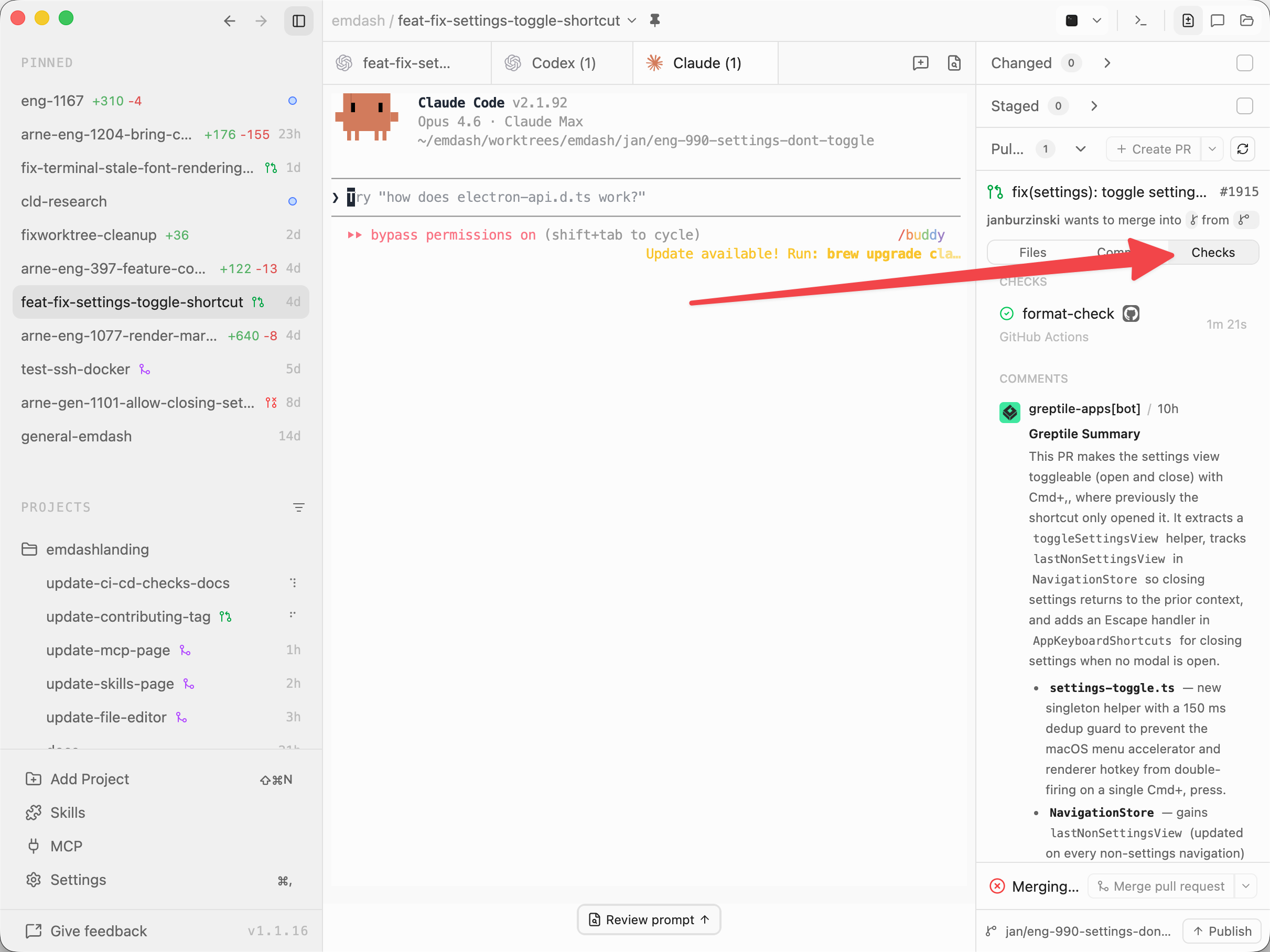
Viewing Checks
Once a task has a Pull Request, the Pull Requests section includes Files, Commits, and Checks tabs. Click Checks to see the latest check runs for that PR's current head commit.
Each check shows:
- Status: Green checkmark (pass), red X (fail), amber spinner (pending), or grey dash (skipped/cancelled)
- Name and source: Which check ran and the GitHub App or workflow that reported it
- Duration: How long the check took when GitHub reports start and completion times
- External link: Hover over a check and click the external link icon to open the full check run on GitHub
The Checks tab also shows PR comments below the check runs so you can review CI status and review feedback in the same place.
Refreshing Check Runs
Emdash syncs check runs when you open the Checks tab for a PR and again when the PR updates to a new head commit.
Check runs are stored with the PR and refreshed from GitHub for the current commit. If you are waiting on a pending check for the same commit, reopen the Checks tab to fetch the latest status.
Requirements
- The project must have a selected GitHub account
- The task's branch must have a Pull Request on GitHub
- Your repository must have GitHub Actions workflows or status checks configured
If no Pull Request appears for the current task, push the branch and open a PR to start seeing checks.
Tips
- Pending checks show an amber spinner in the check list.
- Failed checks appear at the top of the list with a red X.
- Click the external link icon on any check to jump straight to the run details on GitHub.