Remote Projects
Run Emdash projects, tasks, terminals, and agents on a remote machine over SSH
Remote projects connect Emdash to a repository on another machine over SSH. The Emdash UI runs locally, but the repository, worktrees, Git commands, terminals, lifecycle scripts, and coding agents run on the remote host.
Use remote projects when your codebase, credentials, build environment, or compute should live on a server instead of your laptop.
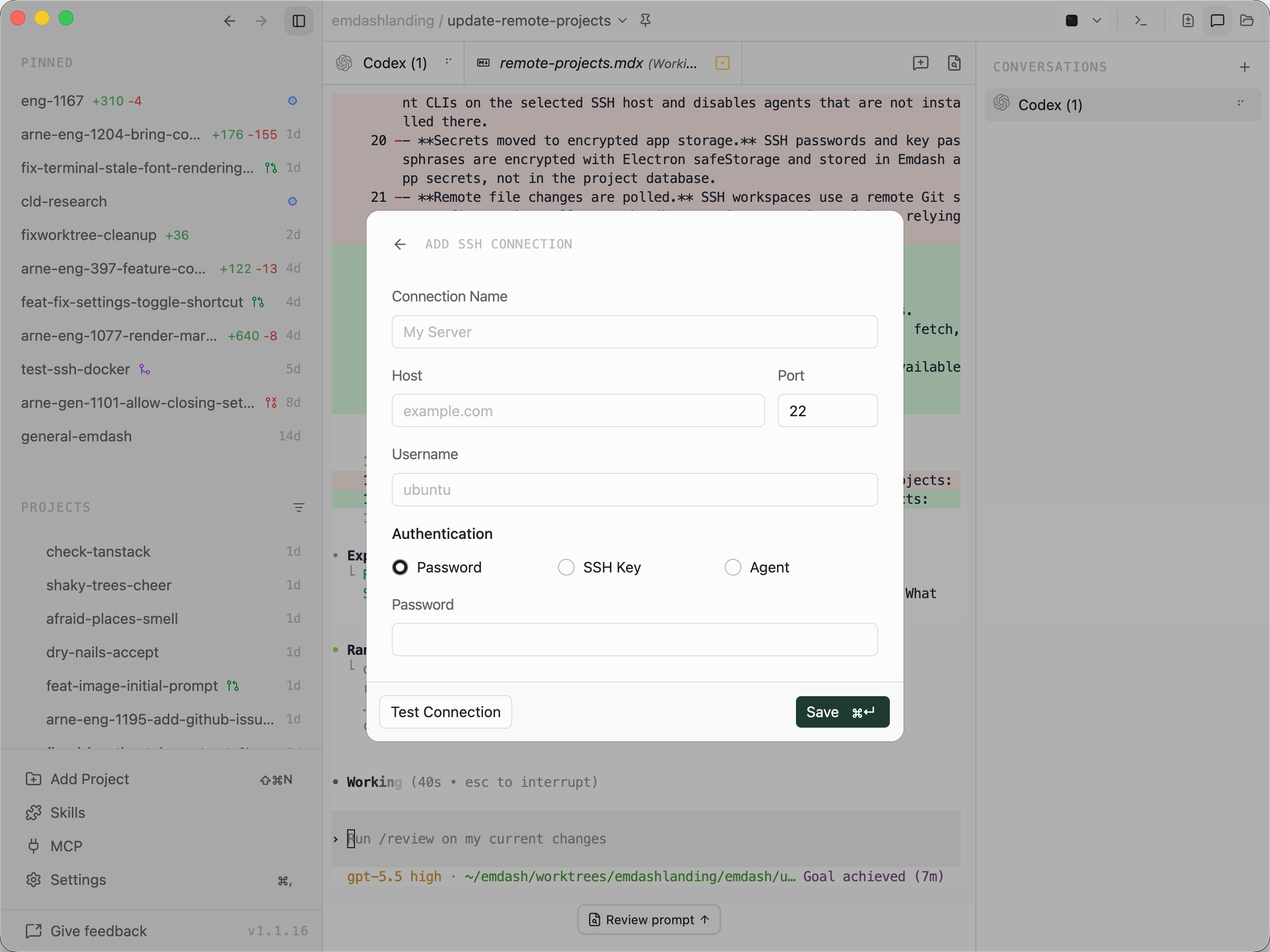
Remote projects use reusable SSH connections. Create a connection from Add Project when you first add a remote project, or manage connections later from Settings.
Add A Remote Project
Open Add Project, switch the project target from Local to SSH, then choose or create an SSH connection.
After Emdash connects, choose how to add the project:
- Pick registers an existing remote directory as a project. If the directory is not a Git repository, Emdash can initialize one when you enable Initialize git repository.
- Clone runs Git clone into the remote directory you choose, then registers the cloned repository.
- New creates a GitHub repository through your Emdash GitHub account, clones it on the remote host using the remote host's configured Git credentials, initializes the project files, then registers it.
The remote directory selector starts at /. You can browse directories over SFTP or type an absolute POSIX path manually. If the same remote path is already registered with the selected SSH connection, Emdash opens the existing project instead of creating a duplicate.
How Tasks Run
Remote projects use the same task model as local projects. The difference is where the work happens.
When you create a task for a remote project, Emdash resolves the source branch or pull request in the remote repository. If the task uses a worktree, Emdash creates or reuses a Git worktree on the remote host, then builds the task workspace there. Setup scripts, run scripts, terminals, agent conversations, file operations, search, diffs, Git commands, and pull request workflows all operate against the remote project or remote worktree.
By default, remote worktrees live under:
<remote-project>/.emdash/worktreesEmdash nests project and branch-specific worktree paths under that directory. You can override the worktree directory in Project Settings. For SSH projects, the override must resolve to an absolute remote path. ~ is expanded against the remote user's home directory.
You can also create a task without a worktree. In that case, the task runs directly in the remote project directory.
Git And GitHub
Git commands run on the remote host, so the remote host needs git installed and available in the remote shell environment.
Git fetch, clone, pull, push, and remote-show flows use the Git credentials configured on the remote host. For GitHub SSH remotes, configure an SSH key or other Git credential on the remote host the same way you would for command-line Git.
For non-GitHub remotes, the remote host needs whatever Git credentials that remote requires.
Pull request listing, creation, comments, checks, and merge actions use the selected GitHub account through GitHub's API. The remote host does not need the GitHub CLI for those UI features.
Files, Search, And Changes
Remote project files are accessed over SFTP and remote shell commands. Directory browsing and file reads or writes use SFTP. Recursive file listing, search, copy, remove, and realpath operations run on the remote host. The Changes view uses Git commands on the remote host.
Project-scoped file operations are constrained to the configured project or workspace root.
Terminals And Agents
Remote terminals and agent conversations run as SSH PTY channels. Emdash captures the remote shell profile, then starts commands inside the task workspace with the relevant task environment variables.
The agent selector checks the selected SSH host for installed agent CLIs. If an agent is not installed on the remote host, it appears unavailable for that SSH task. Installing an agent from Emdash runs the install command on the remote host.
If you enable tmux sessions, tmux must be installed on the remote host. With tmux enabled, remote agent sessions can survive Emdash restarts and SSH reconnects. Without tmux, an SSH disconnect can terminate active remote PTYs.
Connection Status
SSH projects show connection state in the sidebar: Connecting, Connected, Reconnecting, Disconnected, or Error.
Emdash keeps a stable SSH client proxy for each connection. If an established connection closes unexpectedly, Emdash retries with backoff delays of 1, 2, 5, 10, and 20 seconds. Manual disconnects do not auto-reconnect.
When a connection reconnects, Emdash refreshes remote Git state and rehydrates remote task terminals where possible.
If the SSH server refuses new channels, Emdash marks the connection health as degraded and shows an SSH channel unavailable panel. This usually means the server's SSH MaxSessions limit is too low for the number of terminals, agents, SFTP sessions, and Git operations Emdash is opening.
Project Settings
SSH projects use the same project settings model as local projects: worktree directory, default branch, preferred Git remote, tmux, preserve patterns, shell setup, lifecycle scripts, and workspace provider configuration.
Settings saved in the UI are stored locally in the Emdash database and take precedence. Shared settings can be written to .emdash.json, with per-field fallback from local overrides to shared config.
Lifecycle scripts and shell setup run on the remote host for SSH projects.
Remote Host Requirements
Remote projects require an SSH server reachable from the machine running Emdash, a user account that can read and write the project directory, git on the remote host, and at least one supported coding agent CLI installed on the remote host for agent tasks.
We recommend tmux for resilient long-running remote agent sessions, enough SSH server sessions for concurrent terminals, agents, Git commands, and SFTP operations, Git credentials on the remote host for non-GitHub remotes, and a shell environment where agent CLIs and project tools are on PATH.
For connection setup, authentication, local SSH config aliases, ProxyJump, ProxyCommand, and ForwardAgent, see SSH Connections.
Emdash Cloud For Teams
For business and team setups, including managed remote environments, centralized configuration, and admin controls, visit emdash.sh/cloud.